Hopp by Wix Review (2026): Is It Legit, and What It Costs
 Marcel Cruz
Hopp is legit: it is Wix's own link-in-bio tool, built by a publicly traded company. You can start free at hopp.co, it takes 0% of your sales, and it runs without a Wix website. The catch: Hopp publishes no prices, so you only see what a paid plan costs after signing up. Best for creators who already sell.
Disclosure: we build Linkero, a link-in-bio tool. Hopp beats it in places, and we say where.
What is Hopp by Wix?
Hopp is Wix's standalone link-in-bio platform at hopp.co. You do not need a Wix site to use it, though its deepest integrations pull from the Wix ecosystem.
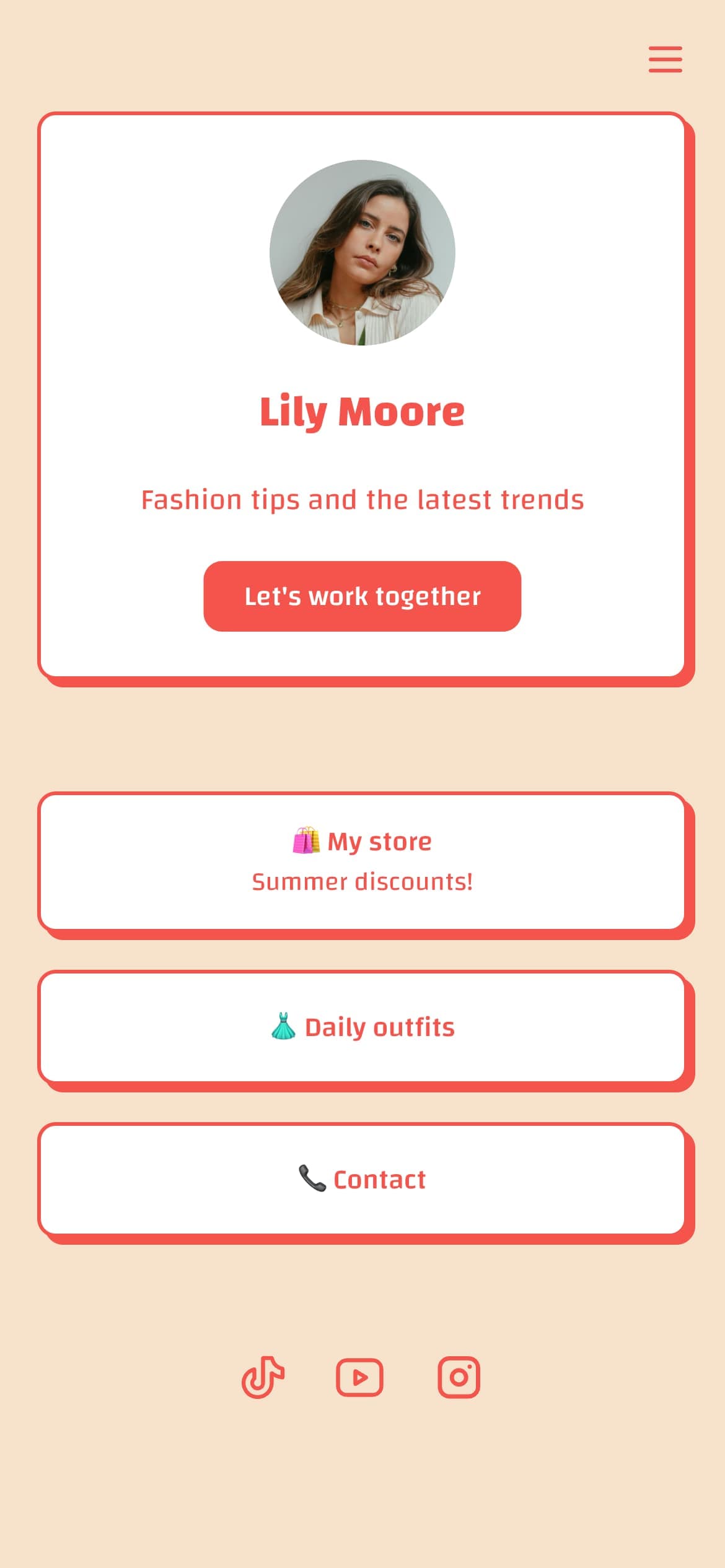
Instead of a list of links, Hopp builds pages out of blocks that handle selling, booking, lead capture and content. Wix positions it as a mini-site in your bio rather than a link dump. If the category is new to you, start with what a link in bio actually is.
Wix ships four products under the Hopp name, per its help centre:
- Link in Bio: the customisable page itself, with sub-pages and search.
- Short Links: branded, trackable short URLs.
- Instant Pages: single-use landing pages for a promo or launch.
- Pre-Rolls: skippable branded content shown before a visitor reaches the link they clicked.
Pre-rolls are still the one thing no other bio-link tool does: a five-second promo for your course plays before someone lands on your blog post. Whether your audience tolerates the friction is a separate question, but nobody else offers the option.
The closest strategic comparison is Bio.Sites by Squarespace: both are distributed by a major website-builder parent, and both lean on cheap entry to pull users into the wider ecosystem.
Is Hopp by Wix legit?
Yes. Hopp is a real product from Wix, the website builder listed on NASDAQ, and Wix documents it in its own help centre alongside its other products. Your page, your payments and your data sit with a large public company, not a solo developer who might vanish next month.
"Legit" and "well reviewed" are different questions, though, and the review picture is thinner than Hopp's homepage suggests:
- Hopp quotes 4.2/5 on Trustpilot. When we read the Trustpilot profile directly in October 2026, it showed a 4.4 TrustScore from just 18 reviews, only one written in the past 12 months. Trustpilot itself labels the profile as possibly unrepresentative, because the company has not invited reviews recently.
- Some negative reviews are not about this Hopp. The profile warns that it is not Hopp the ride-hailing company, and at least one one-star review was meant for that business.
- The positive reviews are mostly about support, with several naming the same support lead. That is a good sign for a small user base, not proof of scale.
So the honest read: safe to sign up for, and backed by a company that will not disappear, but there is little independent evidence about how it performs over years of real use. The same question about Beacons has a messier answer, which we cover in is Beacons AI legit.
How much does Hopp by Wix cost?
Hopp does not tell you. That is the honest answer, and it is the single most useful fact on this page.
We checked hopp.co/pricing again in October 2026. The URL resolves, but instead of a plan table it renders a password-protected "Guest Area" prompt. Wix's help centre confirms the policy: plans are priced by region and your exact rates appear only inside your Hopp account, behind the Upgrade or Start Free Trial button. Billing runs monthly, yearly or two-yearly, with a free trial on a first purchase.
The only numbers in public circulation come from G2's listing, which shows a Basic tier at $7/month and an Ultimate tier at $9.99/month. That data is from 2025 and Hopp has never confirmed it. Treat it as a rough ceiling, not a quote. Because pricing is regional, your figure may differ from any figure you read online, including ours.
What paid plans unlock is documented even though the price is not: custom domain, removal of Hopp branding, the full layout and interactive-button range, plus Short Links, Pre-Rolls and Instant Pages. Annual billing includes a free domain for a year. If a branded URL is your reason for upgrading anywhere, our guide to custom domains on bio pages covers what actually changes.
Is Hopp by Wix free?
You can start free, and Hopp leads with exactly that phrasing, claiming over a million pages launched.
But Wix's own documentation is slippery. The help centre describes the free path as "a free trial to build your dream link in bio page and fully test out all of the features", and the product overview only ever prompts you to Upgrade or Start Free Trial. Nowhere does Wix publish what a free account keeps once a trial ends.
So: free to start, unclear what stays free. Expect Hopp branding, and expect the custom domain and creator tools to sit behind a plan. If a permanently free published page is a hard requirement, Linktree's free tier is the better-documented option, even at a 12% cut of sales.
What does Hopp actually do?
The feature surface has grown a lot since our original review, and this is where Hopp is genuinely strong. From the live product page:
- Selling: physical products with inventory and order tracking, digital files, courses, memberships and subscriptions, event tickets, content paywalls, affiliate links and codes, and dropshipping.
- Services: native bookings for one-to-one sessions, classes, coaching and consulting.
- Audience: lead-capture forms, a built-in CRM for tagging and notes, automations for welcome emails and cart recovery, and full email marketing with templates and scheduling.
- Distribution: branded link shortener, instant landing pages, advanced analytics, and SEO controls including custom title and meta tags.
Built-in email marketing and a CRM are unusual at this tier. Most bio-link tools hand you an integration and let you pay Mailchimp separately.
The 0% fee is the real headline
Hopp advertises 0% transaction fees on sales. Payment processing still applies, but Hopp itself takes nothing.
That is a sharper contrast than the subscription price. Linktree charges 12% on its free plan and 9% on Starter and Pro, dropping to 0% only on Premium at $35/month. Beacons charges 9% until Creator Plus at $30/month. At $2,000/month in sales, a 9% fee is $180/month, and no subscription difference in this category comes close to that. Our Beacons versus Linktree breakdown shows how fast those percentages compound.
How does Hopp compare to Linktree?
| Hopp | Linktree | Linkero | |
|---|---|---|---|
| Published pricing | None, in-account only | Public | Public |
| Platform fee on sales | 0% | 12% Free, 9% Starter/Pro, 0% Premium | 0% |
| Custom domain | Paid plans | Not offered on any plan | Paid plans |
| Removes branding | Paid plans | Pro ($15/mo) and above | Paid plans |
| Pre-rolls | ✅ | ❌ | ❌ |
| Built-in email marketing | ✅ | Integrations only | ❌ |
| Native bookings | ✅ | ❌ | ❌ |
| Multi-client management | ❌ | ❌ | Agency plan |
| Free published page | Yes, with branding | Yes, with branding | No, build and preview only |
Read that table by what you are optimising for. Hopp wins on fees, selling and bookings. Linktree wins on transparency, brand recognition and TikTok whitelisting. Linkero wins on multi-client work, and loses outright if you need a free published page, which it does not offer. For the full head-to-head, see Linktree versus Linkero.
Worth stressing one row: Linktree offers no custom domain on any plan at all. If a branded URL matters, Hopp's paid tier clears a bar Linktree does not.
Where Hopp falls short
Ecosystem gravity. Hopp works standalone, but bookings, stores and automations get materially better when the rest of your business is on Wix. Build your workflow around those blocks and you are building on Wix infrastructure. r/WIX put it plainly: nice if you already use Wix, harder if clients do not want the tie-in.
No multi-client dashboard. There is no way to manage several client pages from one account, and no reseller layer. Tools with proper multi-client management handle that job instead.
The review base is tiny. Hopp's homepage cites 4.2/5 on Trustpilot, while the live profile shows 4.4 from 18 reviews, with one in the past year. Neither number tells you much about long-term reliability.
Pricing you cannot compare. Because rates are regional and in-account only, you cannot line Hopp up against competitors before signing up, and you cannot quote a client a firm cost.
Who should use Hopp, and who should not
Good fit if: you already run on Wix; you sell products, courses, bookings or memberships from your bio and want the platform to take 0%; you want email marketing and a CRM without a second subscription; or pre-rolls fit how you launch things.
Bad fit if: you manage pages for clients; you need to know a price before creating an account; platform independence is a requirement; or you need a documented, permanently free published page.
If you run campaigns through any of these tools, tag your links properly. Our free UTM builder generates trackable URLs that work with Hopp's analytics or anyone else's.
FAQ
Is Hopp by Wix legit?
Yes. Hopp is Wix's own link-in-bio product, run by a NASDAQ-listed company and documented in Wix's help centre. Its Trustpilot profile is small (18 reviews, one in the past year, as of October 2026), so it is a safe vendor with limited independent track record.
Is Hopp by Wix free?
You can start free and Hopp advertises it prominently, but Wix's help centre describes the free path as a trial and never documents what a free account retains afterwards. Expect Hopp branding, and expect custom domains and creator tools to require a plan.
How much does Hopp by Wix cost?
Hopp publishes no prices. The pricing page is password-gated, and rates are regional and visible only inside your account. G2's 2025 listing showed $7/month and $9.99/month tiers, unconfirmed by Wix.
Does Hopp charge fees on sales?
Hopp advertises 0% transaction fees. Standard payment processing still applies. This is its clearest advantage over Linktree at 9% to 12% and Beacons at 9%.
Do you need a Wix website to use Hopp?
No. Hopp works standalone at hopp.co. Its bookings, stores and automation features are considerably deeper if you already use Wix products.
Is Hopp better than Linktree?
For sellers, yes on economics: 0% versus 9% is decisive at volume, and Hopp offers a custom domain where Linktree offers none. Linktree wins on published pricing, TikTok whitelisting and ecosystem maturity. Compare the wider field in our link-in-bio tools roundup.
The verdict
Hopp got substantially better since launch. The 0% fee, native bookings, built-in email marketing and CRM make it one of the strongest options for creators who actually sell, and pre-rolls remain genuinely unique.
The pricing opacity is the thing to weigh against that. Every competitor tells you the price before you sign up; Hopp makes you create an account to find out, and the rate depends on where you live. For a solo creator that is a minor annoyance. For anyone quoting client work or forecasting costs, it is a real reason to look at tools that publish their pricing.
See How Linkero Compares
18 content blocks, per-block styling, custom domains, and built-in analytics on every plan.
Create your page